Best Digital Storybook Formats for Kids: PDF, EPUB, MOBI
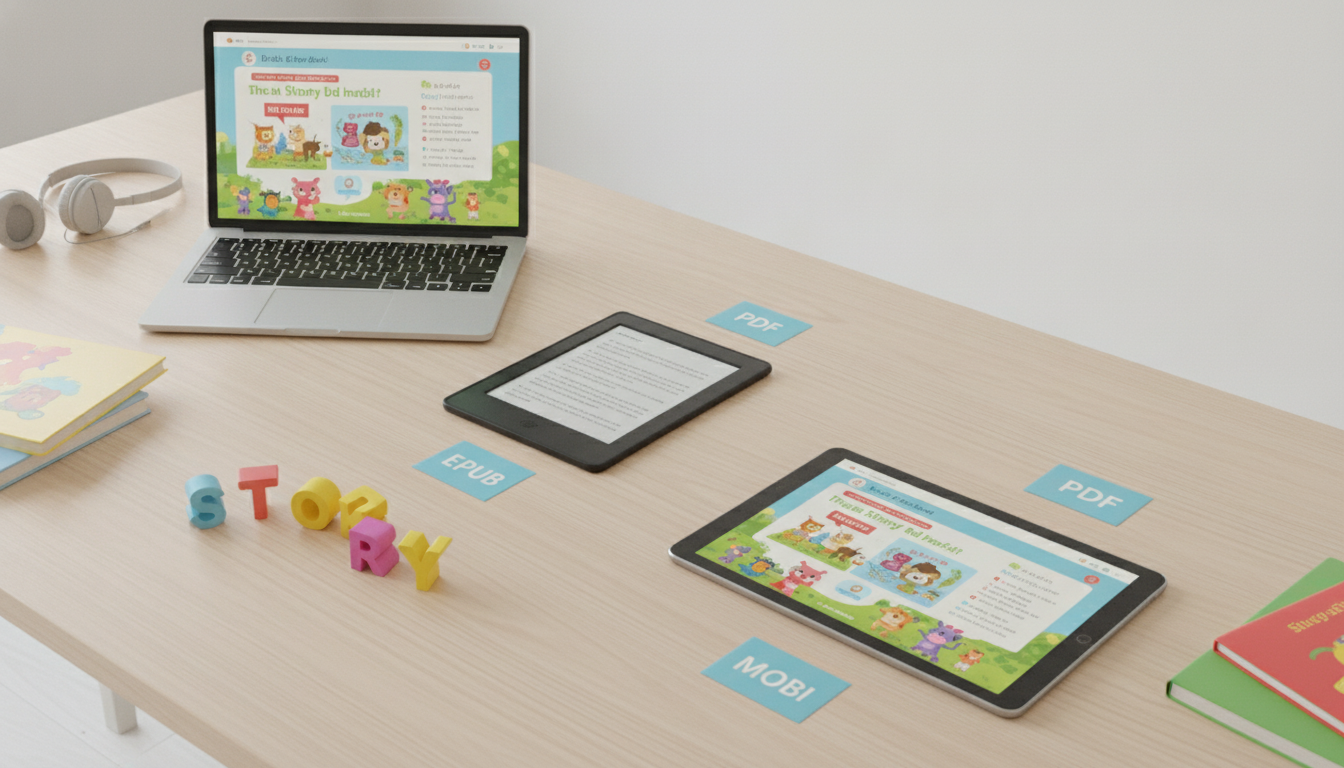
What file formats should a kids educational storybook digital download include (PDF, EPUB, MOBI)?
A strong kids educational storybook digital download usually includes PDF + EPUB, with MOBI optional depending on your audience. Each format shines in a different situation—print-at-home, tablets, e-readers, or accessibility needs—so bundling more than one reduces support issues and makes the purchase feel more complete.
PDF: best for layout, printing, and picture-heavy pages
Choose PDF when the storybook has fixed design elements: full-bleed illustrations, positioned text, activity pages, or classroom handouts. A PDF preserves the exact look across devices and is the easiest format for parents and teachers to print. For the best experience, include a standard “screen” PDF and, if the book contains activities, a “print-friendly” version with margins and lighter backgrounds.
EPUB: best for reading on tablets and most e-readers
EPUB is widely supported (Apple Books, Kobo, many Android apps) and is ideal for reflowable text—meaning the font can scale for different readers, including early readers who need larger type. EPUB also supports accessibility features like text-to-speech and adjustable spacing in many apps. If your book relies on precise illustration-to-text placement, consider a fixed-layout EPUB, but test it carefully across devices.
MOBI: only if you serve older Kindle workflows
MOBI was historically used for Kindle, but many modern Kindle publishing and delivery workflows favor newer formats (like Kindle Format 8/KFX) rather than classic MOBI. If your customers frequently sideload files to older Kindles, offering MOBI can reduce friction. Otherwise, you can often skip MOBI and provide guidance for Kindle users through compatible alternatives.
Recommended bundle for most sellers
For a kids educational storybook, a practical bundle is PDF (screen), PDF (print-friendly), and EPUB. Add MOBI only when you have clear demand from Kindle sideloaders. For deeper format recommendations and real-world packaging tips, visit the main guide here.
FAQ
Do I need a print-friendly version for activity or workbook pages?
Yes—if the download includes tracing, coloring, or cut-and-paste activities, a print-friendly PDF with lighter backgrounds and clear margins makes printing cleaner and saves ink.










Leave a comment